
From Dynaway version 2604.1 Planning Board changed name to Scheduling Board.
In this regard, the following changes must be made:
In Azure portal
Enter App registrations / Authentication / +Add Redirect URI / Single-page application
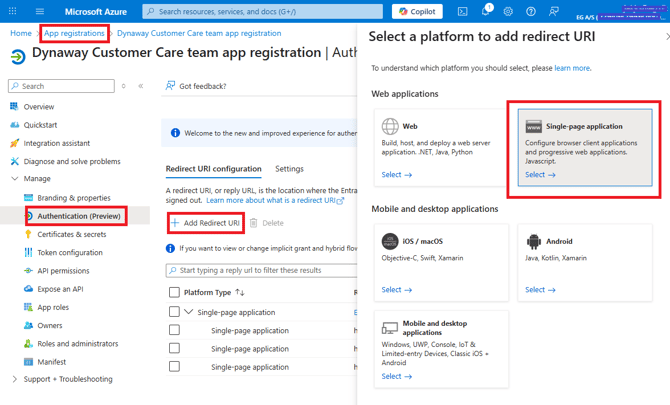
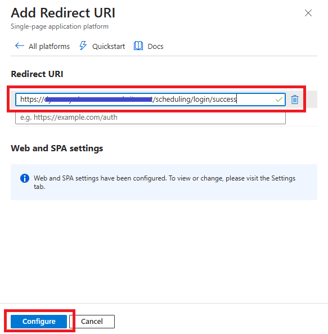
Add new URI https://website/scheduling/login/success
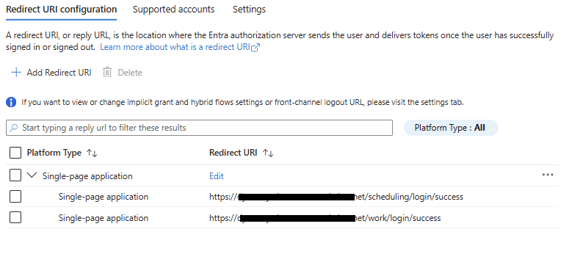
There should now be a scheduling/login/success
In Azure portal
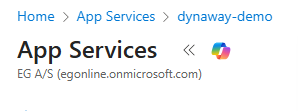
Enter App Services / App Services / "name" here dynaway-demo
Configuration / +Add virtual application of directory
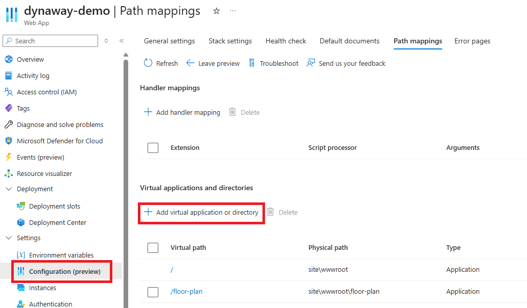
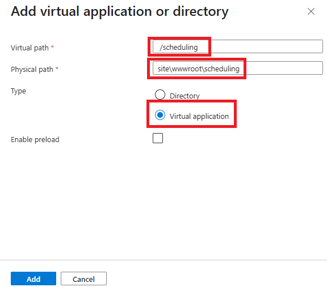
Add virtual application of directory
Virtual path: /scheduling
Physical path: site\wwwroot\scheduling
Type: Virtual application
Please remember that there must be no spaces before or after the Virtual path name or Physical path name. (This can occur with the use of copy-paste)
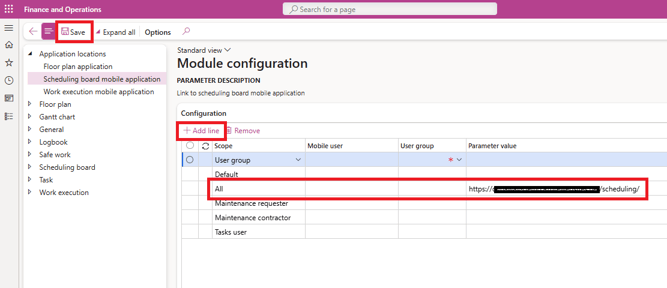
In D365F&O
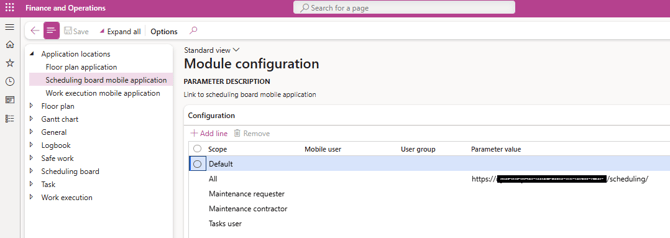
Enter Dynaway mobile (mobility EAM) / Application locations / Scheduling board mobile application +Add Line / Scope All / Parameter value https://website/scheduling/

Uploading files
When upgrading to Dynaway version 2604.1 depending on license, the following folders must be available or created /site/wwwroot/work and scheduling 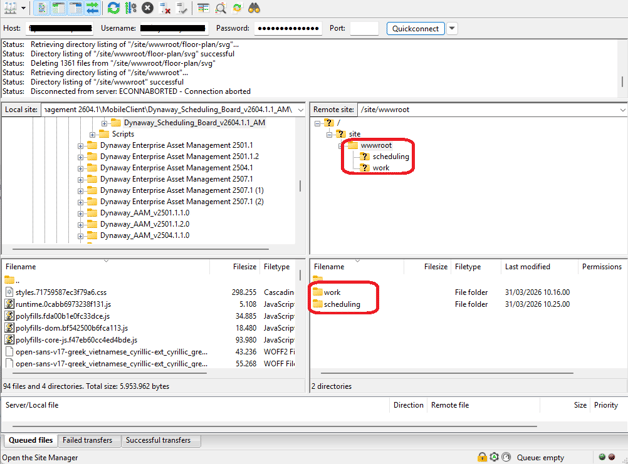
When first uploading Scheduling Board, please remember to configure the web.config file.